Quick answer
| Best fit | Studio shoots, broadcast desks, and presenters standing well back from the lens |
| Typical cost | Mid to high, plus a rig sized to carry it |
| What matters most | Reading distance — the size only pays off when the talent is further away |
| Skip it if | You record at desk distance, where a large display mostly adds weight and cost |
What this setup is really for
The case for a 15-inch prompt display is distance. At desk distance a tablet shows plenty of readable text, and going larger changes little except the weight of the rig. Once the presenter is standing several feet back, the text has to grow, and on a smaller panel that means only two or three lines are visible at a time. A larger display restores the line count.
Seeing several lines ahead is what makes prompted delivery sound natural. Reading one line at a time produces a flat, reactive cadence because you cannot see where the sentence is going. That is the real argument for a bigger panel, and it is why the size is standard in studios and rare on home desks.
The costs are physical. A 15-inch display is heavier, needs its own power and signal, and requires a hood and tray built for it. On a camera rig that weight sits forward of the tripod head, so the mount and head both need to be specified for the load rather than assumed to cope.
Where it fits — and where it does not
Works well for
- Broadcast and newsroom desks with a fixed, repeatable layout
- Studio shoots where the presenter stands back from the camera
- Longer scripts where seeing several lines ahead materially improves delivery
- Permanent installations where the rig does not get rebuilt each session
Struggles with
- Desk recording at close distance, where the extra size earns nothing
- Travel and location kits, where weight and power are constraints
- Lightweight tripods and heads not rated for a heavy forward load
What to check before you buy
| Main benefit | More visible lines at large text sizes, which improves delivery cadence |
| Reading distance | Justified once the talent is well back from the lens |
| Hood and tray | Must be built for a 15-inch panel; tablet trays will not adapt |
| Power and signal | Needs its own power and video feed — plan cabling in advance |
| Balance | Significant forward weight; specify the head and mount for the load |
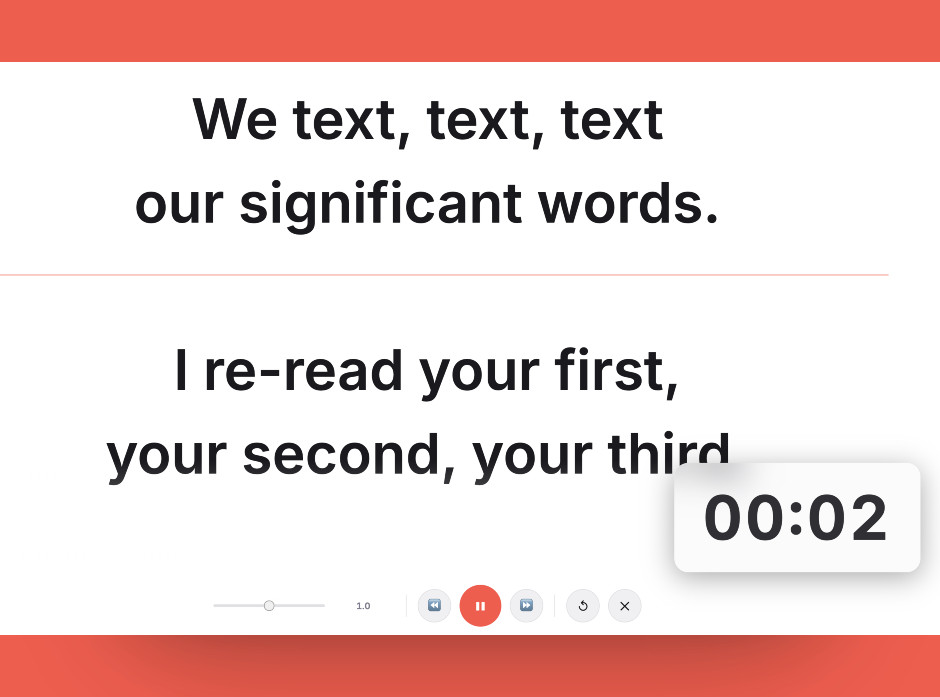
The argument for a bigger panel is line count at distance — check how many lines you can see from where the presenter will actually stand.
Setting it up
- Confirm distance justifies the size
Stand where the talent will stand and read from your current display. If you can see several lines comfortably, the upgrade buys you very little.
- Match the hood and tray to the panel
Order the mount for a 15-inch display specifically. Tablet-sized trays will not carry the panel safely regardless of how they are adjusted.
- Route power and signal properly
Secure both cables along the rig with enough slack for pans and tilts. A taut cable on a moving rig pulls the framing and eventually the connector.
- Rebalance for the added weight
Move the plate back until the loaded rig sits over the head, and confirm the head is rated for the full assembled weight, not just the camera.
- Set text size from the talent position
Size the font from where the presenter actually stands. The point of the larger panel is line count at that distance, so check it there.
Common mistakes
If the presenter can stand closer, that solves the readability problem for free. Check that before spending on a bigger panel.
Trays are cut for specific dimensions and rated for specific weights. A 15-inch panel in a tablet tray is not secure.
A heavy panel ahead of the tripod head causes creep between takes and sag during moves. Specify the head for the assembled load.
Frequently asked questions
Is a 15-inch teleprompter monitor better than a tablet?
Why does seeing more lines matter?
Will a 15-inch display fit my existing prompter rig?
What does the extra weight do to my tripod?
Do I need a special monitor or will any 15-inch screen work?
Test the workflow before buying more gear
Open the ScriptScroller browser teleprompter, put it where your script would actually sit, and find out which of these problems you really have.
Open Teleprompter