Quick answer
| Best fit | TikTok, Reels, Shorts, and any portrait-first creator workflow |
| Typical cost | Free on a phone; low if you add a small tripod or clamp |
| What matters most | Very short line lengths and keeping the script inside the narrow safe zone |
| Skip it if | You are shooting landscape, where the usual line-width guidance applies |
What this setup is really for
Vertical video inverts the usual teleprompter geometry. In landscape you have width to spare and height is tight. In portrait it is the other way round: plenty of vertical room for lines of text, almost no horizontal room before the reading column runs past the edge of the useful area. Settings copied over from a landscape setup almost always read badly.
The practical consequence is that lines have to be short — shorter than the 40 to 55 characters that suits a landscape screen. In portrait, breaking closer to 25 or 35 characters keeps the eye essentially still and lets you use the vertical space you actually have by showing more lines at once.
The second factor is platform interface overlay. TikTok, Reels, and Shorts all put captions, usernames, and buttons over the bottom and right of the frame. That affects where you can put yourself in the shot, which in turn affects where the prompt needs to sit to stay near the lens. Frame first, then place the script.
Where it fits — and where it does not
Works well for
- Short-form creator content shot on a phone at arm's length or on a tripod
- Product and UGC-style pieces that need specific wording hit accurately
- Repeatable series formats where you re-record the same structure often
- Multi-take hook testing, where reading the same lines consistently matters
Struggles with
- Long scripts, since portrait prompting is usually phone prompting and inherits its limits
- Wide reading columns copied from a landscape setup
- Setups where you have framed yourself low, leaving the prompt far from the lens
What to check before you buy
| Line width | Roughly 25 to 35 characters — noticeably shorter than landscape |
| Prompt position | As close under the lens as framing allows, usually high in the display |
| Safe zones | Keep your framing clear of platform UI along the bottom and right edge |
| Take length | Short. Portrait content rewards tight takes and hard cuts |
| Mounting | Eye-height tripod or clamp; handheld portrait exaggerates the downward angle |
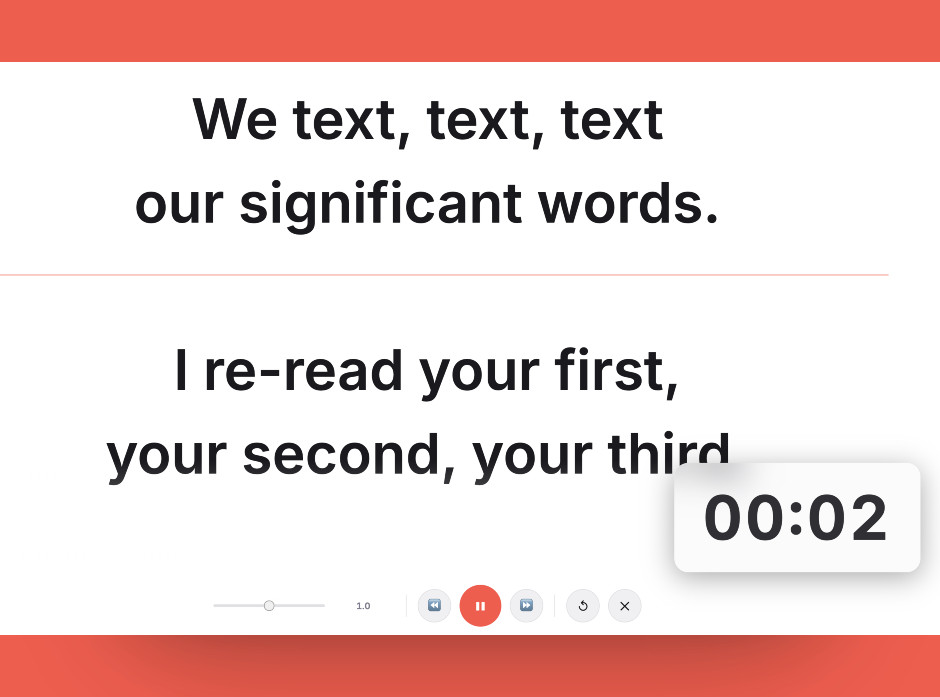
Portrait framing needs roughly half the line length of a landscape setup, which is the first thing to change when moving to vertical.
Setting it up
- Frame the shot before touching the script
Set your position in the portrait frame first, keeping clear of the caption and button areas along the bottom and right. Where you sit in frame determines where the prompt has to go.
- Cut the line length
Take whatever line width you use for landscape and roughly halve it. Around 25 to 35 characters keeps your eyes nearly still, which is what carries direct-to-camera short-form.
- Push the script up toward the lens
In portrait the lens is at the top of a tall frame, so the script needs to be high. A prompt sitting in the middle of a portrait screen is a long way below the camera.
- Rehearse the hook separately
The first two seconds carry short-form video. Run the opening lines a few times before recording so the hook is delivered rather than read.
- Record in short takes
Cut at each beat rather than reading the whole script in one pass. It suits the format and it removes the pressure that makes prompter reading look stiff.
Common mistakes
A 55-character line that looks fine on a monitor is far too wide in portrait. It either overflows the readable area or forces the font down to an uncomfortable size.
Sitting low in a portrait frame pushes the prompt further from the lens and adds a downward gaze on top of an already tall frame.
Captions and buttons cover the bottom of the frame. Compose around them or your carefully framed shot gets covered by the interface.
Frequently asked questions
How short should teleprompter lines be for vertical video?
Where should the script sit for portrait recording?
Can I use a teleprompter for TikTok without looking scripted?
Does the platform interface affect teleprompter setup?
Should I shoot vertical video on the front or rear camera?
Test the workflow before buying more gear
Open the ScriptScroller browser teleprompter, put it where your script would actually sit, and find out which of these problems you really have.
Open Teleprompter