Quick answer
| Best fit | Desk-based streamers and creators recording direct to camera regularly |
| Typical cost | Premium relative to a browser prompter and a monitor you already own |
| What matters most | Whether you record often enough that setup friction is a real cost |
| Skip it if | You record occasionally, or your camera is not at desk distance |
What this setup is really for
Integrated creator prompters bundle the display, the glass, the mount, and the software into one product designed to sit on a desk in front of a camera. What you are buying is the removal of setup friction: no separate monitor to position, no rig to align, no assembling anything before a take.
That is genuinely valuable if you record often. Setup friction is the reason a lot of people stop using a prompter — the rig lives in a cupboard, getting it out takes ten minutes, and eventually the script gets memorised badly instead. A prompter that stays on the desk and works immediately removes that failure mode entirely.
It is less compelling if you record occasionally, or if your camera is not at desk distance. A prompter designed to sit in front of a desk camera assumes a fairly specific geometry. If you shoot from across the room, or your camera lives on a tripod that moves, the integration you are paying for stops applying and a monitor plus a browser prompter does the same job for less.
Where it fits — and where it does not
Works well for
- Streamers and creators recording at a desk several times a week
- Setups where the camera position is fixed and rarely changes
- Workflows that already lean on integrated creator hardware and its software
- Anyone who has abandoned a prompter before because setting it up was too slow
Struggles with
- Occasional recording, where the cost per use stays high
- Cameras positioned well back from the desk
- Setups needing to move between locations frequently
What to check before you buy
| Core value | Setup friction removed — it stays on the desk and works immediately |
| Assumed geometry | Camera at desk distance, directly in front of you, in a fixed position |
| Desk space | Permanent footprint in front of the camera; measure before buying |
| Software | Integrated control is part of the value; check it fits how you already work |
| Alternative | A monitor you own plus a browser prompter, if setup time is not your bottleneck |
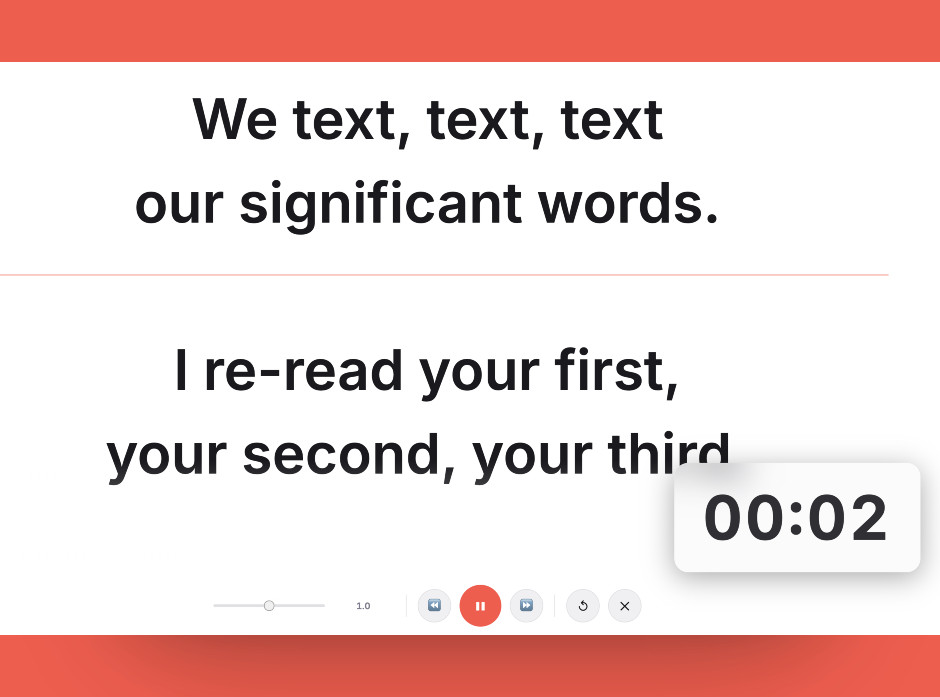
The same script in a browser prompter on a monitor you already own — worth trying before paying for the integrated version.
Setting it up
- Count how often you actually record
Integrated prompters are priced against saved setup time. If you record weekly, that adds up quickly. If you record monthly, it does not.
- Measure the desk space in front of the camera
It occupies that space permanently. Check it does not push your camera back further than your framing allows or crowd out something you use.
- Confirm your camera distance suits it
These are designed around a camera at desk distance. If yours sits across the room, the geometry the product assumes no longer holds.
- Set brightness against your key light
Prompter glass costs you light. Set the display brightness with your actual lighting on, not in a dark room where everything looks readable.
- Test the software against your workflow
Check how you load scripts, adjust speed mid-take, and integrate with whatever you already stream or record with. Convenience only counts if it fits your existing habits.
Common mistakes
The value is amortised setup time. At low recording frequency, a monitor and a browser prompter get you most of the benefit for none of the cost.
It lives in front of the camera permanently. That space is often already occupied, and discovering the conflict after delivery is avoidable.
Text that reads perfectly in a dim room can wash out under a key light. Always calibrate with your production lighting on.
Frequently asked questions
Is an integrated prompter better than a browser teleprompter?
Does it work with any camera?
How much desk space does it need?
Will the script be readable under studio lighting?
What is the cheaper alternative?
Test the workflow before buying more gear
Open the ScriptScroller browser teleprompter, put it where your script would actually sit, and find out which of these problems you really have.
Open Teleprompter