Quick answer
| Best fit | Short-form vertical content, travel kits, and quick single-take pieces |
| Typical cost | Free using the phone you already have; low for a basic clip mount |
| What matters most | Font size against reading distance — everything else is secondary |
| Skip it if | Your script runs longer than a couple of minutes or you shoot at any real distance from the phone |
What this setup is really for
Phone prompting is a genuine trade: you give up reading comfort and get portability, near-zero cost, and a setup that takes seconds. For a thirty-second Reel shot at arm's length, that trade is obviously worth it. For a six-minute explainer, it usually is not, because the amount of text on screen at a readable size shrinks to a couple of lines and the scroll becomes a constant, distracting crawl.
The core constraint is that readable font size and visible line count trade directly against each other on a small display. Make the text big enough to read from a metre away and you are looking at two or three lines at a time. That is fine when you know the material and just need cues. It is punishing when you are reading unfamiliar copy verbatim.
Two setups cover most phone prompting. Either the phone is the camera, with the script on the same screen you are being filmed by, or the phone is a second-screen prompt display sitting next to a separate camera. The first is simplest; the second is better when you want the phone's rear camera quality and can keep the prompt close to the lens.
Where it fits — and where it does not
Works well for
- TikTok, Reels, and Shorts shot at arm's length or on a short tripod
- Travel and location work where a full rig is not going to happen
- Rehearsal and line practice away from a desk
- Cue-card style prompting where you need reminders, not a verbatim read
Struggles with
- Scripts longer than a couple of minutes read verbatim
- Any distance beyond about a metre, where the text has to get so large the line count collapses
- Bright outdoor shooting, where phone screens wash out badly
What to check before you buy
| Reading distance | Under about a metre; past that the required font size leaves too few lines visible |
| Font size | Set it from your actual shooting position, never from your hand |
| Camera choice | Front camera keeps script and lens together; rear camera looks better but needs a second display |
| Screen settings | Fix the brightness, disable auto-lock, and turn on Do Not Disturb before every take |
| Script length | Best under about two minutes; break longer pieces into separate takes |
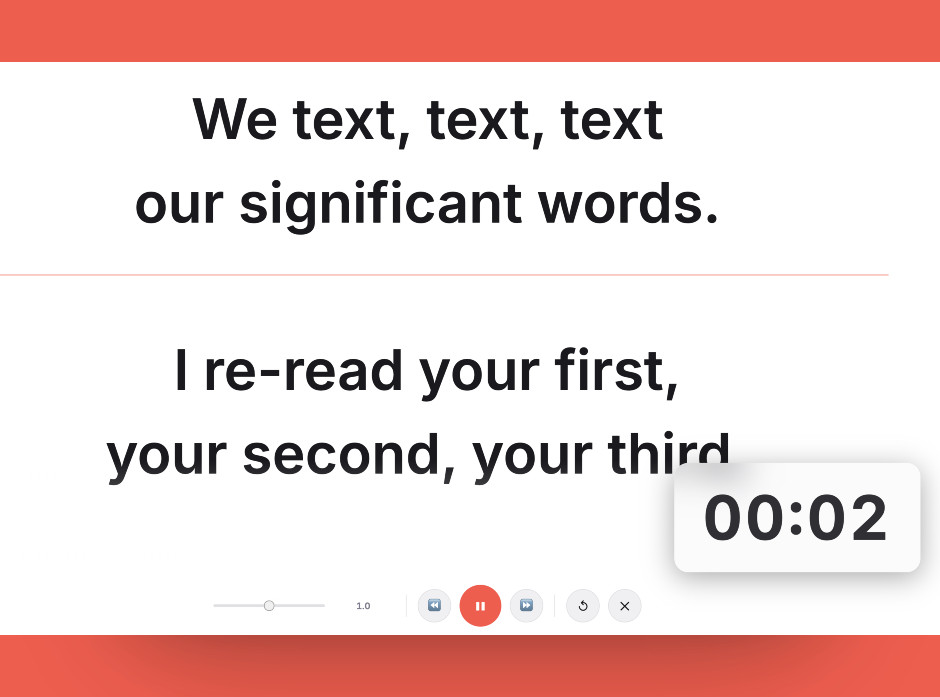
Size the text from where you will actually stand, not from where you are holding the phone — this is the setting phone prompting lives or dies on.
Setting it up
- Decide which camera you are shooting on
Front camera means script and lens are in the same place, which is the easiest possible eye line. Rear camera looks better but means the phone cannot be your prompt display, so plan a second screen.
- Mount the phone at eye height
Get it on a small tripod or clamp at eye level. Holding it in your hand puts it below your face, which produces the downward-angle look phone video is already prone to.
- Set font size from where you will stand
Walk to your actual shooting position and size the text there. Text set from arm's length is always too small once you step back.
- Lock the phone down before recording
Fixed brightness, auto-lock off, Do Not Disturb on. A notification banner across your script mid-take is the classic phone prompter failure.
- Shoot in shorter chunks
Break the script at natural paragraph breaks and record in segments. Phone prompting rewards short takes and punishes long unbroken reads.
Common mistakes
You set the font from 30 centimetres away, then stand a metre back and cannot read it. Always size from the shooting position.
A banner drops over the active line at the worst moment. Do Not Disturb is not optional for phone prompting.
The visible line count on a phone is too low to sustain a long read. Use it for cues and short pieces, and move to a tablet or monitor for anything longer.
Frequently asked questions
Can I use my phone as a teleprompter and camera at the same time?
How big should the text be on a phone teleprompter?
What is the longest script that works on a phone?
Do phone teleprompters work outdoors?
Should I hold the phone or mount it?
Test the workflow before buying more gear
Open the ScriptScroller browser teleprompter, put it where your script would actually sit, and find out which of these problems you really have.
Open Teleprompter