Quick answer
| Best fit | Travel content, vlogs, quick pieces to camera, and compact creator kits |
| Typical cost | Low — a small phone or tablet used as a prompt display, plus a mount |
| What matters most | Keeping the whole kit small enough that you still take it with you |
| Skip it if | You are shooting a controlled studio piece, where a bigger camera and a proper rig serve you better |
What this setup is really for
The Osmo Pocket 3 is a gimbal camera built around being pocketable and quick to deploy. That makes conventional teleprompting awkward: the standard answer is a beam-splitter box in front of the lens, and bolting one onto a camera this small produces a rig that is mostly prompter. At that point you have lost the reason you bought the camera.
The setup that actually suits it is a separate prompt display placed as close to the lens as possible rather than on the optical axis. A phone clamped just under or beside the camera, at the same height, gets you a small enough eye offset for vlog-style content while keeping the kit packable.
The rotating screen changes the planning too. Because you can flip the display to face you, the Pocket 3 already handles the self-shooting case reasonably well. The prompt display then only has to sit near that same line of sight, which is a much easier problem than getting a script onto the lens axis.
Where it fits — and where it does not
Works well for
- Travel and walking vlogs where the whole kit has to be carryable
- Quick pieces to camera recorded away from a desk
- Creators who already shoot handheld and want cue support rather than verbatim reading
- Second-camera coverage where a full rig is not justified
Struggles with
- Verbatim reading of long scripts, which suits a larger display and a stable position
- Full beam-splitter rigs, which overwhelm the camera physically
- Bright outdoor shooting, where a small phone prompt display washes out
What to check before you buy
| Prompt display | A phone is usually the right size; a tablet often unbalances the setup |
| Placement | Directly under or beside the lens at the same height, as close as the mount allows |
| Mounting | A small clamp, cage, or cold shoe accessory rather than a full prompter box |
| Script style | Cue lines and bullets, not dense verbatim paragraphs |
| Movement | Static or slow — reading while walking is not realistic at this size |
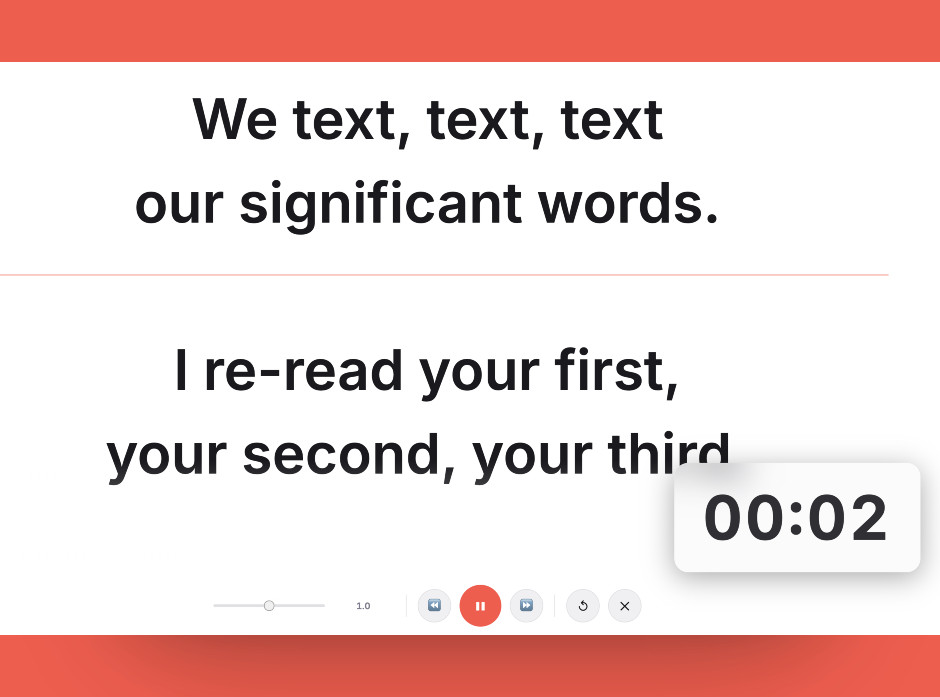
Cue lines rather than dense paragraphs — a small prompt display beside a compact camera shows very few lines at a readable size.
Setting it up
- Decide between cue cards and verbatim
For a camera this size, short cue lines almost always beat a full script. Write for prompting rather than trying to force a document onto a tiny screen.
- Mount the prompt display beside the lens
Clamp a phone directly under or next to the camera at the same height. Being level with the lens matters more than being perfectly centred.
- Keep the rig weight down
Add as little as you can. A Pocket 3 with a heavy accessory hanging off it fights its own gimbal and becomes unpleasant to hold.
- Set text large and lines short
Small display, short distance, big text. Short lines keep your eyes still, which matters more here because the offset from the lens is already visible.
- Shoot static for the scripted sections
Save handheld movement for the parts you are not reading. Trying to walk and read from a clamped phone produces poor delivery and shaky framing at once.
Common mistakes
The rig ends up larger and heavier than the camera. If you need that, you want a different camera for the shoot.
A tablet is brighter and easier to read, but it dwarfs and unbalances a Pocket 3. A phone is the sensible ceiling.
Long verbatim copy fights the format. Cue lines let you keep the delivery loose, which is what this kind of content wants anyway.
Frequently asked questions
Can you use a teleprompter with the DJI Osmo Pocket 3?
Why not use a proper beam-splitter rig?
Should the prompt display go above or below the lens?
Can I read a full script on this setup?
Does it work while walking?
Test the workflow before buying more gear
Open the ScriptScroller browser teleprompter, put it where your script would actually sit, and find out which of these problems you really have.
Open Teleprompter