Quick answer
| Best fit | Zoom calls, training videos, internal comms, and first-time prompter users |
| Typical cost | Free with a browser prompter; roughly the price of a small accessory for a clip-on rig |
| What matters most | Where the text sits relative to the webcam — not the hardware |
| Skip it if | You shoot with an external camera, or read for more than ~20 minutes at a stretch |
What this setup is really for
A laptop already has the three things a teleprompter needs: a bright screen, a camera, and something to run the script on. That is why it is where almost everyone starts. The catch is geometry. The webcam sits in the bezel above the display, so anything you read pulls your eyes down and away from it. The further down the page your eye travels, the more you look like you are reading email during a meeting.
Almost all of the improvement available on a laptop comes from fixing that geometry rather than from buying anything. Raise the laptop so the webcam is at eye height, pin the reading line to the top third of the screen, and narrow the text column so your eyes stop sweeping left to right. Those three changes do more for perceived eye contact than most clip-on hardware does.
Clip-on beam-splitter rigs for laptops do exist, and they work by reflecting the screen onto angled glass in front of the webcam. They are genuinely useful for repeat, high-stakes recording. They are also fiddly: the glass has to clear the bezel, the lid angle stops being adjustable, and screen brightness has to be high enough to survive the reflection. Try the free version first.
Where it fits — and where it does not
Works well for
- Recorded Zoom, Teams, and Meet sessions where you are the only speaker on camera
- Training and onboarding videos that get re-recorded often enough that setup time matters
- Sales and customer calls where you need talking points visible but not obvious
- Anyone testing whether they want a teleprompter at all before spending money on one
Struggles with
- Long-form reads — the downward eye angle becomes obvious past about twenty minutes
- External camera setups, where the laptop screen is nowhere near the lens you are shooting into
- Low-brightness laptops behind clip-on glass, where the reflected text turns grey and unreadable
What to check before you buy
| Camera position | Top bezel, above the screen — the reason eye contact is the core problem |
| Screen height | Raise the laptop until the webcam is level with your eyes; a stand or a stack of books both work |
| Reading zone | Top third of the display, as close to the bezel as the script will sit |
| Line width | Roughly 40 to 55 characters — narrow enough that your eyes barely move sideways |
| Clip-on glass | Only worth it if your screen is bright and the rig clears your specific bezel depth |
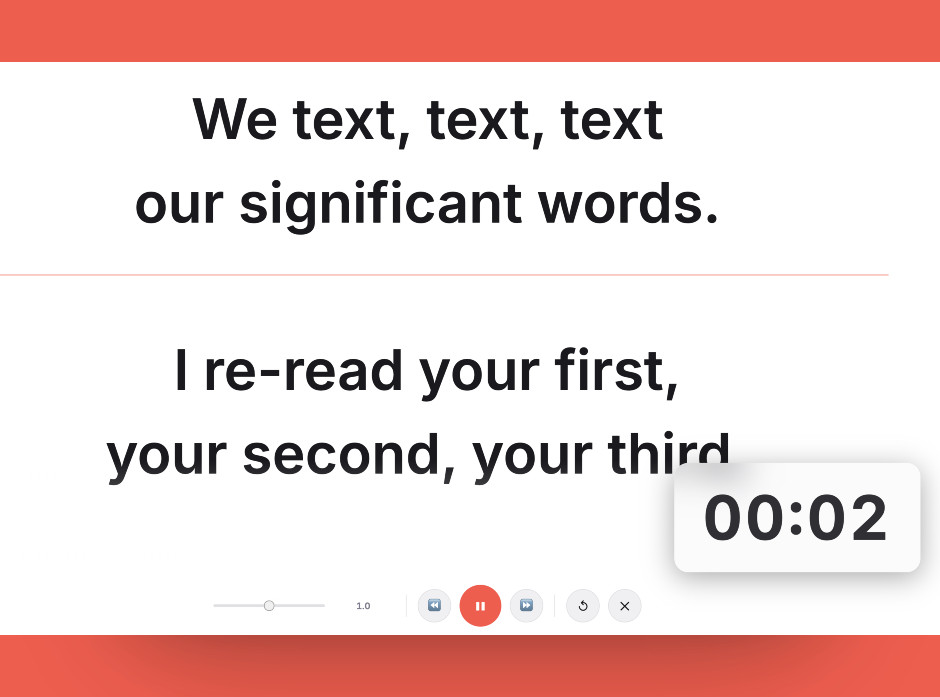
A browser prompter on a raised laptop, with the reading column narrowed and pinned near the webcam — the whole fix, before any hardware is involved.
Setting it up
- Raise the laptop to eye level
Put the machine on a stand, a riser, or a stack of books until the webcam sits level with your eyes. This single change fixes the downward-glance problem more than anything else on this page.
- Open the prompter and shrink the column
Run the script in a browser prompter and narrow the text column until lines break at around 40 to 55 characters. Wide lines force visible left-to-right eye sweeps; narrow ones read as a steady gaze.
- Push the reading line to the top
Position the active line as close to the webcam as the layout allows. Text near the bottom of a laptop screen is the worst case — it is both far from the lens and steeply below it.
- Set the speed against a real read
Read a full paragraph aloud at presenting pace and adjust scroll speed to match. Setting speed while reading silently always produces a prompter that runs too fast.
- Record fifteen seconds and watch it back
Look specifically at your eyes. If you can see them tracking, raise the reading line, narrow the column, or move further from the screen and increase the font size.
Common mistakes
A laptop at desk height puts the camera below your chin and the script well below that. Nothing in software fixes the angle a riser fixes for free.
Full-width text on a 15-inch screen means your eyes travel several inches per line, and every sweep is visible on camera. Narrow the column.
Beam-splitter glass costs you a meaningful amount of screen brightness. On a dim laptop panel the reflected script can end up too faint to read comfortably.
Frequently asked questions
Can I use my laptop as a teleprompter without buying anything?
Do clip-on laptop teleprompters actually work?
Where on the screen should the script sit?
What font size should I use on a laptop?
Is a laptop good enough for YouTube videos?
Test the workflow before buying more gear
Open the ScriptScroller browser teleprompter, put it where your script would actually sit, and find out which of these problems you really have.
Open Teleprompter